Tiril helps people who live in Norway read Norwegian news, one paragraph at a time, with English underneath when they need it. This is why we built it, and how.
The news is where Norway talks to itself
Living in Norway, the language is everywhere. A sign at the tram stop. A letter from the kommune. A headline on someone's phone on the bus. Some of it you understand, some of it you guess, and some of it you just let pass.
But much of what makes a place feel like home is in the news. Why the buses ran late this morning. What the city decided about the school down the road. Which story everyone at work is talking about over lunch. Norwegians read it every day, in Norwegian, and it shapes the small talk you are trying to join.
It works the other way too. Once you can follow the news, you start to have opinions about it. You notice when the parking rules change, when a new bike lane opens, when the local football club finally wins. You are no longer only living in the country. You are taking part in it.
Keeping up is harder than it should be. You open an article and copy a sentence into a translator, then another. Or you look for an English summary that may never come. It works, but it is slow, and the article you saved for later gets lost somewhere in your browser tabs.
Some people want to know what is happening in their town. Some want to check a detail in a story everyone is talking about. Some want to improve their Norwegian along the way. All of them deserve an easier way in.
We wanted a way to read the real article, the one your colleagues read, with help close by when you need it.
Just the news, as it is, with help close by however you want to use it. That is why Tiril exists.
Nytt bibliotek åpner i Bergen
Det nye biblioteket har plass til over 300 000 bøker og åpner dørene lørdag.
The new library has room for more than 300,000 books and opens its doors on Saturday.
Mange har ventet lenge på et møtested i sentrum.
Many have waited a long time for a meeting place in the city centre.
The news, made easy
When you turn on translation, English appears under each paragraph, next to the Norwegian. Read the English, read the Norwegian, or move between the two. Tiril doesn't mind which.
You choose what to read. You find an article in Safari or your news app, tap Share and choose Tiril. It is saved with its photos and opens offline, on the tram or on the plane home.
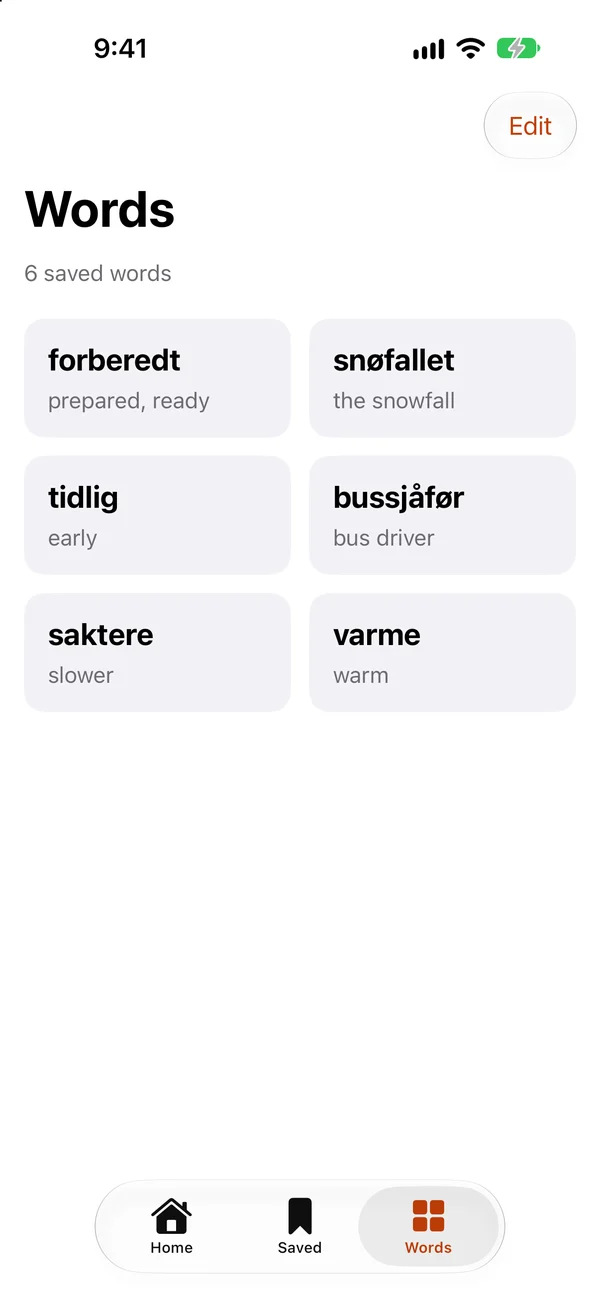
When a single word catches your eye, tap it. You see what it means in this sentence, not a list of every possible meaning. If it is worth keeping, save it to Words, together with the sentence you found it in.
Home is there for the days you don't know what to read. It shows today's Norwegian headlines in a calm, magazine-style feed. Tap one to read it now, or save it for the evening.
We also made the reading itself comfortable: a clean view with the photo at the top, then the headline and the text. No ads, no pop-ups, no video that starts on its own. You can make the text as large as you like.
Every word you save goes to Words, together with the sentence you found it in. Open it to see what it means, hear how it is said, and read every sentence you have met it in. When the same word turns up in another article, you can add that sentence too.
The list sorts itself by level, from A1 to C2, so everyday words and rarer ones are easy to tell apart. Use it to look back at the words from this week's news, or to check one you have seen before. There are no streaks or daily goals, just the words that mattered to you, from the news you actually read.
If it works the way we hope, you will notice it one ordinary morning. Someone at lunch mentions the story on the front page, and you already know what happened.
 Tiril